Bible Book Tabs: The Practical Guide to Organizing Your Bible
Whether you study alone, lead a small group, or prepare lessons for a classroom, bible book tabs can be a powerful ally. They offer instant orientation, reduce the time spent flipping through pages, and help you navigate the complex structure of the Bible with confidence. In this guide, you’ll discover the different types of tabs, how to choose the best system for your needs, and practical steps to apply and maintain them. You’ll also find tips for color-coding, labeling, and adapting your tabs to various Bible translations and formats. By the end, you’ll have a clear roadmap for creating a tab system that keeps your study focused and efficient.
What Are Bible Book Tabs?
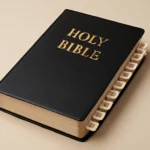
Bible book tabs are small markers or labels attached to the edge or spine of a Bible that indicate the name of each book of the Bible. They serve as quick reference points so you can locate Genesis, Psalms, Matthew, Romans, Revelation, and every other book without a long search. Tabs come in a variety of forms, including adhesive tabs, laminated tabs, vinyl tabs, and even magnetic or cloth-backed options. Some systems use full names; others employ abbreviations or color blocks to save space. Regardless of style, the goal is the same: speed, readability, and organization.
Styles and Materials: How Tabs Are Made
The market offers a broad spectrum of choices. Here are the main categories you'll encounter, along with their pros and cons.
Adhesive Tabs
Adhesive tabs are among the most popular because they are affordable and easy to apply. They typically come as a sheet of labels or small pre-cut stickers you can place along the page edge. Look for tabs with a strong adhesive that won’t peel away over time.
Laminated Tabs
Laminated tabs offer durability and a smooth surface that resists wear. They are ideal for everyday use and for Bibles that you open and close repeatedly. The lamination can make the tab more resistant to moisture and staining.
Vinyl and Plastic Tabs
Vinyl tabs are flexible, resistant to tearing, and can be designed in a wide range of colors. They often come with cohesive backing or self-laminating edges. These tabs look crisp and professional but can be slightly bulkier than paper options.
Magnetic or Cloth Tabs
For enthusiasts who want a different approach, magnetic tabs or cloth-backed tabs provide a washable, repositionable alternative. Magnetic tabs cling to metalized page edges or to a dedicated magnetic strip, offering easy removal without damage.
Label Options: Full Names vs. Abbreviations vs. Symbols
You’ll frequently see tabs labeled with full book names (e.g., Genesis, Exodus), three-letter abbreviations (Gen, Exod, Lev), or symbolic icons (a cross for the Gospels, a scroll for the prophets). Each approach has advantages:
Full names maximize readability, especially for beginners or in shared study spaces.
Abbreviations save space on compact Bibles and can speed recognition for experienced readers.
Icon-based systems offer a visual cue that can transcend language barriers.
Color-Coding and Thematic Groupings
A powerful enhancement to any tab system is color-coding. Colors can reflect the traditional grouping of the Bible, or be customized to align with your study priorities. Below are common schemes and practical tips to implement them effectively.
Canonical Groupings by Testament
Old Testament colors: identify the Pentateuch, Historical Books, Wisdom Literature, Major Prophets, and Minor Prophets at a glance.
New Testament colors: separate the Gospels, Acts, Epistles, General Epistles, and Revelation for quick access during study sessions.
Thematic Color Schemes
Law and Pentateuch in a calm blue or green to reflect foundations and beginnings.
Poetry and Wisdom in warm amber or violet, highlighting psalms, proverbs, and wisdom literature.
Prophets in bold red or deep purple to signify weighty messages.
Gospels and Acts in bright tones like teal or orange for emphasis on narrative arcs and early church history.
Epistles in earth tones to maintain legibility in longer letters.
Practical Tips for Colorful Tabs
Choose high-contrast colors against your Bible’s page edges for readability.
Use the same color for related blocks (for example, all Wisdom books or all Paul’s letters) to reinforce a mental map.
Keep color-coding consistent when you switch translations or Bible formats to preserve familiar cues.
Canonical Order, Translations, and Variations You Should Know
Different Christian traditions arrange the books in slightly different orders. Your tab system should accommodate these variations so you can index accurately whether you’re using a Protestant, Catholic, or Orthodox Bible, or a modern English translation with publisher-specific ordering.
Protestant vs Catholic vs Orthodox Canons
In the Protestant canon, the order typically follows the traditional arrangement used in the King James Version and most modern translations: the Pentateuch first, followed by the historical books, poetry/wisdom, and the major/minor prophets; then the Gospels, Acts, Epistles, and finally Revelation.
In a Catholic Bible, the Deuterocanonical books (such as Tobit, Judith, Wisdom, Sirach, Baruch, and additions to Esther and Daniel) are included between the historical books and the prophetic writings, which changes where a few tabs might appear. For Orthodox canons, there may be more variations with additional books in the Old Testament.
Practical Implications for Tabs
If your Bible includes Deuterocanonical books, decide whether you want to tab them as part of the Old Testament block or as a separate section.
Some tab sets label the books in the most common canonical order for your target audience, while others use a universal cross-reference order that remains consistent across translations.
When you switch translations, verify whether the book names are full or abbreviated and adjust your labels accordingly to maintain quick access.
Choosing the Right Tab System for Your Bible
There is no one-size-fits-all solution. Your lifestyle, reading habits, and the type of Bible you own will influence the best tab system for you. Below are key considerations to help you decide.
: Compact or study Bibles may require smaller tabs or abbreviated labels to avoid clutter.
Durability needs: Heavy-use study Bibles benefit from laminated or vinyl tabs that resist wear.
Label visibility: If you study late at night or in dim light, opt for high-contrast colors and larger text.
Application scenario: Group study, sermon prep, or personal devotion each benefit from a slightly different labeling approach.
Product Considerations
Adhesive strength and residue: Look for tabs engineered to minimize page damage when removed.
Tab overlay compatibility: If your Bible has gilded edges or decorative spines, ensure tabs won’t obscure important information.
Replacement availability: Some manufacturers offer refill sets or compatible add-ons for ongoing updates.
Budget-Friendly vs Premium Options
Budget-friendly options typically include basic adhesive tabs and simple color codes that still deliver function. Premium options may include laminated vinyl tabs, color-coded sets with matching page-edge colors, and complete label packs with abbreviations and icons. Consider your long-term use: investing in durable tabs can save money and time over years of study.
Applying Bible Book Tabs: A Step-by-Step Guide
Correct application is essential for readability and longevity. Below is a practical, easy-to-follow guide that works for most tab types. Adjust the steps to fit your chosen materials.
Preparation
Gather materials: tabs, a clean cloth, a mild cleaner if needed, and a ruler for alignment.
Decide on labeling: full names, abbreviations, or a hybrid scheme. Prepare a quick reference key for yourself or your study group.
Clean page edges gently to ensure the adhesive sticks firmly without trapping dust.
Placement Strategy
Start with the first book (Genesis) and place the tab along the edge so the name is visible when the Bible is closed. If you prefer the tab to be visible on the edge, align it so the text faces outward.
Proceed sequentially for the entire Old Testament first, then the New Testament, unless you have a customized order.
Use a consistent margin: measure a uniform distance from the top edge of each page, or align tabs with the page where the book begins for uniformity.
Labeling Tips
Use consistent fonts and sizes to improve readability at a glance.
For abbreviations, you might opt for three-letter forms (Gen, Exod, Lev) to save space.
Keep a short legend in the front cover or a study notebook explaining your chosen system for reference.
Maintenance After Application
Press tabs firmly for a few seconds to ensure a strong bond.
Avoid exposing tabs to extreme heat or moisture, which can warp or peel adhesives.
Periodically check tabs for lifting and re-secure them as needed.
Practical Tips for Different Bible Sizes and Formats
The size and format of your Bible influence how you implement tabs. Here are practical adaptations for common formats.
Compact Bibles
For compact Bibles, you may want smaller tabs with abbreviated names. Consider a minimal color-coding scheme—one color per testament or per major section—to prevent clutter on limited page edges.
Study Bibles
In study Bibles with wide margins or center-column references, you can use full names or an expanded abbreviations set. You might also label sections like Historical Books or Prophets with color blocks on the tab edge to reinforce structure.
Large Print or Deluxe Editions
Large print editions provide more space for longer labels and bolder colors. This is a great opportunity to adopt a comprehensive color-coded, full-name system that reduces ambiguity during public reading or teaching.
Maintenance, Replacement, and Longevity
Tabs aren’t forever, but with proper care, they can last many years. Here are strategies to extend the life of your tab system.
Durability and Care
Avoid excessive moisture and heat, which can loosen adhesives.
Wipe the tab surface with a dry or slightly damp cloth to remove fingerprints and dust.
Replace chipped or peeling tabs promptly to prevent further damage.
When to Replace Tabs
Tabs lose adhesion after repeated opening and closing.
Label readability has degraded due to fading or wear.
Your Bible has undergone a translation or edition update that changes book order.
If you upgrade your Bible or adopt a new translation, you can reconfigure tabs to align with the new order. Some people save old tabs as a reference or reuse the stickers on a new layout. When reconfiguring, a methodical approach—copying the original layout to a template and moving one book at a time—helps maintain consistency.
Bible book tabs aren’t only about quick book access. They can be integrated into study workflows, teaching plans, and sermon prep. Here are some creative applications and examples.
Assign a tab color to a study topic (e.g., grace, covenant, prophecy) and use adjacent tabs for related books.
Use color-coded blocks to map out a topical series across different books (for instance, themes like faith, obedience, and salvation).
Group Study and Teaching Aids
In a classroom, use color-coded tabs to direct learners to sections of interest, such as Gospels during a New Testament unit.
During a sermon series, pre-mark relevant books and sections to facilitate quick reference during talks or Q&A sessions.
Cross-Reference and Comparison Tools
Pair tabs with a quick-reference list of cross-references to enable fast comparisons between parallel passages.
Keep a small index in the front cover that shows where major themes occur across multiple books for easy navigation.
Common Mistakes and How to Avoid Them
Even with good intentions, it’s easy to trip on a tab system. Here are frequent missteps and practical fixes.
Overloading with Colors or Labels
Avoid using too many colors or overly complicated abbreviations that slow you down rather than speed you up.
Opt for a balanced palette and a concise labeling scheme that you can recognize at a glance.
Misaligned Tabs
Take a moment to align tabs consistently. Misalignment can cause tabs to become visually distracting and harder to read.
Tabs Interfering with Page Edges
Ensure tabs do not cover page numbers, headings, or references. If needed, use smaller tabs or place labels away from the outermost edge.
Incompatibility with Translations
When switching translations, verify that book titles match the new edition. If not, adjust labels to prevent confusion during study sessions.
The Ultimate Guiding Principles for Bible Book Tabs
To make tabbing your Bible a sustainable practice, keep these guiding principles in mind.
Clarity comes first. Tabs should enable quick recognition and avoid ambiguity.
Consistency over time. Use the same labeling conventions across all books and translations you work with frequently.
Durability matters. Invest in tabs that withstand daily use and environmental conditions.
Adaptability ensures longevity. Design your system so you can modify it as your study evolves.
When you apply these principles, your bible book tabs become a reliable companion in study, teaching, and reflection. The goal is not just to label pages, but to create an intuitive map of the Bible that supports focus, retention, and discovery.
Sample Tab Configurations: Quick Start Ideas
Here are ready-to-use starting points you can adapt. Each configuration emphasizes readability and practical organization.
Config A: Classic Protestant Layout with Full Names
Old Testament: Gen, Exod, Lev, Num, Deut, Josh, Judg, Ruth, 1–2 Sam, 1–2 Kgs, 1–2 Chr, Ezra, Nehem, Esther, Job, Ps, Prov, Ecc, Song, Isa, Jer, Lam, Ezek, Dan, Hosea–Mal
Old Testament: Blue Gen, Exod, Lev, Num, Deut; Green for historical; Gold for wisdom; Purple for prophetic.
New Testament: Teal Gospels; Orange Acts; Red Letters for Paul’s Epistles; Violet General Epistles; Brown for Revelation.
Config C: Icon-Enhanced for Visual Learners
Gospels: Icon of a robed figure
Prophets: Icon of a compass or flame
Epistles: Icon of a scroll
Revelation: Icon of a crown
Conclusion: Making Bible Book Tabs Work for You
Bible book tabs are more than a decorative accessory. They are a practical tool that can transform how you read, study, and teach the Bible. By choosing the right style, applying a thoughtful labeling system, and maintaining your tabs with care, you create a personalized map of the Scriptures that supports recall, navigation, and in-depth exploration. Whether you prefer classic full names, concise abbreviations, or a color-coded hybrid, the key is to implement a system that you can sustain over time. With the guidance in this guide, you’re equipped to design a tab setup that fits your Bible, your translation, and your study objectives—making the journey through sacred texts more accessible, organized, and engaging.









Leave a Reply