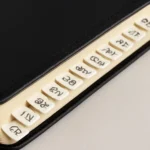
Bible with Book Tabs: The Ultimate Guide to Organizing Your Bible for Easy Study
For many readers, bible with book tabs is more than a convenience—it is a practical system that transforms how Bible study happens. When the pages are easy to navigate, cross-references are quicker to locate, and the structure of the canon becomes a living map rather than a mystery. This guide is designed to help you choose, customize, and maintain a tabbed Bible system that supports focused reading, topical study, and efficient sermon preparation. Whether you own a compact pew Bible or a large study edition, the right book-tabs setup can save time, reduce frustration, and deepen engagement with Scripture.
The concept of a tabbed Bible is simple in theory: you add visible, durable labels at strategic points to indicate where each book begins and sometimes where major sections lie. The result is a portable, personal reference tool you can flip through with one hand. In this article, you’ll learn about different types of tabs, how to plan a tab system that matches your version and goals, a step-by-step setup process, and tips to keep your bible tabs lasting for years. You’ll also discover how to combine physical tabs with other study aids to create a comprehensive, flexible workflow.
Why a Bible with Book Tabs Improves Study
There are several compelling reasons to adopt a tab-based organization for Scripture. A well-designed system can:
Speed up navigation so you can move from Genesis to Revelation or between cross-referenced passages without losing your place.
Enhance memory through visual cues such as color-coding by testament, genre, or thematic category.
Reduce page wear since you’re not constantly bending pages trying to locate a book’s start.
Support study goals whether you are doing sequential reading, topical studies, character studies, or sermon prep.
Encourage consistency by providing a repeatable system you can apply across Bibles and translations.
Beyond mere practicality, a color-coded tab system can also become a tactile reminder of where to begin a study, where to return after taking notes, and how to structure a daily or weekly Bible routine. The ultimate aim is to create a personal, durable reference that invites you into Scripture with less friction and more focus.
What Are Bible Tabs? Variations and Materials
The term bible tabs covers a range of products and designs. The right choice depends on your Bible size, preferred style, budget, and how aggressively you want to use or reuse the tabs. Here are the core options to consider.
Types of Tabs
Paper tabs: Lightweight and inexpensive, often pre-printed with book names and sometimes color-coded by group (Old Testament vs New Testament, Pentateuch, Wisdom literature, Prophets, Gospels, Epistles, etc.).
Plastic or vinyl tabs: More durable than paper, resistant to tearing, and suitable for frequent handling. They can be transparent or opaque and may cover the edge for easier grabbing.
Magnetic tabs: A removable option that adheres magnetically to the page edge. Great for temporary setups or shared Bibles in classrooms or study groups.
Ribbon or fabric tabs: Often use fabric or fiber ribbons attached along the edge. These are stylish and easy to replace but can wear out if heavily used.
Index or edge tabs: Thin cards or stickers glued along the book edge, sometimes with index-style lettering for quick scanning.
Adhesive quality: Removable adhesives prevent damage when you replace tabs, which is especially important for delicate pages or vintage Bibles.
Water resistance: If you study outdoors or in damp environments, look for tab materials with moisture resistance.
Wear resistance: Higher-quality tabs can withstand repeated flipping, tabbing, and corner bumps.
Color-Coding and Labeling Styles
Canonical color coding: One color per major division (Genesis–Malachi in a single color, Matthew–Revelation in another, etc.).
Functional color coding: Colors based on genre (narrative history, poetry, prophecy, letters, wisdom, etc.) or study focus (prophecy, parables, miracles).
Hybrid systems: A combination of color and label size to indicate both book and section (e.g., large color blocks for books, smaller labels for major sections within a book).
Getting Started: Planning Your Tab System
Before you buy tabs, take some time to plan how you will use them. A thoughtful plan reduces waste and helps you avoid mismatches between the tab design and your Bible version. Consider the following planning steps as you design a tabbing system for study.
Decide on a Layout: Canonical Order or Thematic Grouping
Canonical order: The traditional order of books as found in most Christian Bibles. This is the default approach for most bible tabs kits and offers immediate familiarity for readers.
Thematic or categorical grouping: Group by genre or topic (law, history, poetry, prophecy, gospels, epistles) or by focus of study (daily devotional, historical overview, character study).
Hybrid approaches: Use canonical order for most books but create colored dividers or separate sections for major themes within some books (e.g., prophets grouped by major oracles).
Decide on Labeling Style
Full book labels: The simplest option—each book’s name is labeled on the tab.
Section labels: In addition to book labels, include sub-labels at the start of major sections within larger books (e.g., “Genesis 1–11,” “Psalms 1–50”).
Abbreviated labels: Short labels (e.g., Gen, Exod, Matt) to save space on very small Bibles.
Consider Your Study Goals
Prophecy and narrative balance: If you study prophecy frequently, you might want a distinct color for prophetic books or a separate tab set for “Prophecy”.
Topical study: For topical investigations, consider a separate color or a set of tabs to quickly locate books commonly referenced in your topics (e.g., grace, covenant, faith).
Sermon preparation: You may want extra space for quick jotting, or removable tabs that can be moved to the draft you’re preparing.
Step-by-Step Guide to Tab Setup
Transforming a standard Bible into a well-organized study tool is a practical, repeatable process. Follow these steps to assemble a customizable tab system that matches your edition and your learning style.
Assess your Bible size and binding. Note how edge space, binding thickness, and page curvature might affect tab placement.
Choose a tab type that fits your lifestyle. If you read in bright light or outdoors, plastic or vinyl tabs with bold print are often best; for a classroom or library, magnetic or removable tabs can be advantageous.
Decide on colors and labeling. Pick a color scheme you can consistently apply across all books. For example, use a warm palette for Old Testament books and a cooler palette for New Testament books, or reserve one color per major division.
Prepare your labels. If you’re creating labels yourself, make a sample sheet first to verify font size, readability, and alignment. If you’re buying pre-printed tabs, confirm they align with your Bible’s book names (some editions use slightly different spellings or order).
Apply tabs with care. If you’re using adhesive tabs, align them with the very edge of the page to ensure they don’t obscure text. If you’re using edge tabs, position them to be easily grasped while closed.
Create an index or guide. In the inside cover or first blank page, list the color and label system you chose. This acts as a quick reference for anyone who uses your bible with tabs and helps you maintain consistency.
Test the system. Flip through the Bible, locate key books, verify visibility in both open and closed states, and adjust spacing or color contrast if needed.
Maintain the tabs. Regularly check adhesive quality, replace worn tabs, and re-label if you change study goals or translate to a new edition.
A well-built tab system should last years, but longevity depends on material quality, usage, and care. Here are practical tips to keep your book-tab system in good condition.
Use removable adhesives if you anticipate upgrading or rearranging tabs. This minimizes damage to the page edges and keeps options open for future editions.
Avoid overcrowding. Too many colors or too many labels in a small Bible can create visual noise. Strike a balance between clarity and simplicity.
Protect high-use pages. If you study a lot in the Gospels or Epistles, consider slightly larger tabs for those frequently accessed books to make grabbing easier.
Clean and inspect. Wipe the tab surfaces occasionally to remove dust, oils, and ink transfer from neighboring pages.
Store properly. When not in use, keep your Bible in a stable environment away from humidity, which can soften adhesives and warp pages.
Common Mistakes and How to Avoid Them
A few pitfalls are common when people start using bible tabs for the first time. Recognizing and avoiding these can save you time and frustration later.
Inconsistent labeling: Mixing label styles or colors mid-way disrupts readability. Decide on a single system and stick with it across all books.
Overly long labels: In compact Bibles, long book names can crowd the tab area. Prefer abbreviated or color-coded blocks that still convey the book’s identity.
Using non-removable tabs on delicate pages: If your edition has thin or heavily annotated pages, choose removable tabs or magnetic options to prevent tearing.
Ignoring version differences: Different Bible translations may spell or order books differently. Always verify book names and sequence before applying tabs to a new edition.
Forgetting an index: Without an internal guide, you may forget your own system. A quick-reference page inside the cover makes conversion smoother and helps others use the system too.
Beyond Tabs: Complementary Tools for Bible Study
A well-organized Bible with book tabs pairs nicely with other study aids. Consider integrating these tools to build a robust study workflow.
Ribbon Markers and Bookmarks
Ribbon markers let you mark ongoing reading paths or the current study topic without impeding the tab system.
Bookmarks provide quick access to a recent verse or note, acting as a bridge between your tabs and your personal study notes.
Develop and print small study plan templates that indicate which tab sections you’ll study on specific days.
Use templates to track progress, insights, and questions that arise as you move through the tabbed chapters.
Variations: Customizing Your Tabs for Different Versions
Different Bible translations may present subtle differences in book order, names, or section divisions. Your bible tabs should be adaptable to these variations, so you can preserve clarity and relevance across editions.
Handling Translation Differences
Name variations: For example, the book commonly labeled as “Psalms” in most English editions is the same across translations, but some language editions use slightly different spellings. Ensure your labels reflect the edition you own.
Order shifts: Some study Bibles or alternate canons place books in slightly different sequences. Design your tab scheme to be flexible—consider separate color blocks for major divisions rather than relying on a strict sequential order.
Adapting to Different Canons
Christian canonical order typically places the Old Testament books first, followed by the New Testament books. Your tabs can mirror this order to support standard navigation.
Hebrew Bible order is different from the Christian arrangement. If you work with a Jewish or bilingual edition, you may want to maintain separate tab sets for the two canons or use a color-only approach to minimize confusion.
Tabs for Study Editions
Study-oriented tabs may include extra markers for key study sections (law, history, poetry, prophets, gospels, epistles, apocalypse).
Reference editions might benefit from larger or more legible type and a bolder color palette to accommodate footnotes and cross-references.
Conclusion: The Value of Organized Scripture
Using a Bible with book tabs is more than a practical hobby; it is a deliberate act of organizing one’s approach to Scripture. The resulting systematic navigation supports sustained reading, efficient cross-referencing, and deeper engagement with the text. The tabbed Bible becomes an adaptable learning companion—one that grows with your study goals, evolves with different editions, and remains faithful to the timeless rhythm of Scripture. Whether you study alone, teach a class, or prepare sermons, a well-considered tab system can save time, reduce friction, and keep your focus where it belongs: on the message of the text.
As you begin or refine your bible tabs approach, remember to:
Start with a simple, repeatable plan and add complexity only as needed.
Choose durable materials that suit your environment and handling style.
Document your system in a concise index to help others use your setup or to re-create it in future editions.
Balance aesthetics with practicality; a clean, readable color scheme often yields better results than a crowded, busy design.
With the right combination of tabs, labeling, and supportive study tools, your Bible becomes a more navigable, personal, and fruitful resource. The effort invested in organizing by book and theme pays dividends whenever you open the pages for reading, study, or teaching. A well-tabbed Bible invites you to explore more deeply, memorize more readily, and apply Scripture more accurately in daily life.

 Por Laura Jara